Checking your phone every hour to make sure your dog hasn't slipped out the back gate is not a system, it's anxiety. Clip an Apple AirTag into a dedicated collar case and Find My does the checking for you, pinging your phone the moment your dog leaves a spot you've marked as home base.
- Learning how to connect an AirTag to a dog collar takes under 10 minutes: pair the tag, snap it into a case, turn on Notify When Left Behind.
- An AirTag uses Bluetooth and Apple's Find My network, not GPS or cellular, so it's built for yard and neighborhood range, not distance tracking.
- A dedicated collar case beats a zip tie or tape - it keeps the tag flat against the collar instead of swinging into your dog's fur.
- Best for dogs that roam a fenced yard, slip through gates, or bolt at the dog park. A hunting or trail dog needs a cellular GPS collar instead.
Why this matters
An AirTag is not a GPS tracker, and treating it like one sets you up to fail. It broadcasts over Bluetooth and relies on nearby iPhones running Find My to relay its location - a crowd-sourced system Apple calls the Find My network. There's no subscription fee and no cellular chip to charge or replace, but there's also no live map of your dog running three miles down a rural road.
For a dog that mostly stays in a fenced yard, ducks under a gap in the fence, or gets loose at a busy dog park, that's plenty. For a dog that runs for real distance - a hound that clears the fence and keeps going - you want a cellular GPS collar, not an AirTag setup, and no amount of case shopping fixes that mismatch. Shop and Bark carries the collar and case hardware that makes the AirTag side of this workflow hold up outdoors in 2026, but the tracking logic itself lives entirely inside Apple's Find My app.
Before you start
- An iPhone running iOS 15 or later, signed into the Apple ID you'll use for Find My.
- One AirTag per dog you want to track, plus a collar-mount case rated for outdoor use - not the leather loop it ships with, which cracks and peels within weeks of daily wear.
- The gotcha that bites people at step three: skip any case with an exposed speaker grille. Mud, grass, and pool water get into the speaker and mute the "lost mode" chime you need when your dog is hiding under a porch twenty feet away.
Pair the AirTag with your iPhone
- Pull the tab on the AirTag to activate the battery - you'll hear a short chime.
- Hold the AirTag close to your iPhone until a setup card pops up on screen, then tap Connect.
- Under "Set Up AirTag," choose a name - use your dog's actual name rather than a generic label, since that name is what shows up in every alert.
- Confirm the AirTag is registered to your Apple ID by opening the Find My app and tapping Items.
Expected result: your dog's name appears in the Items list with a small AirTag icon and a current location pin, or "No location found" if you're indoors far from other Apple devices.
Mount the AirTag on the collar
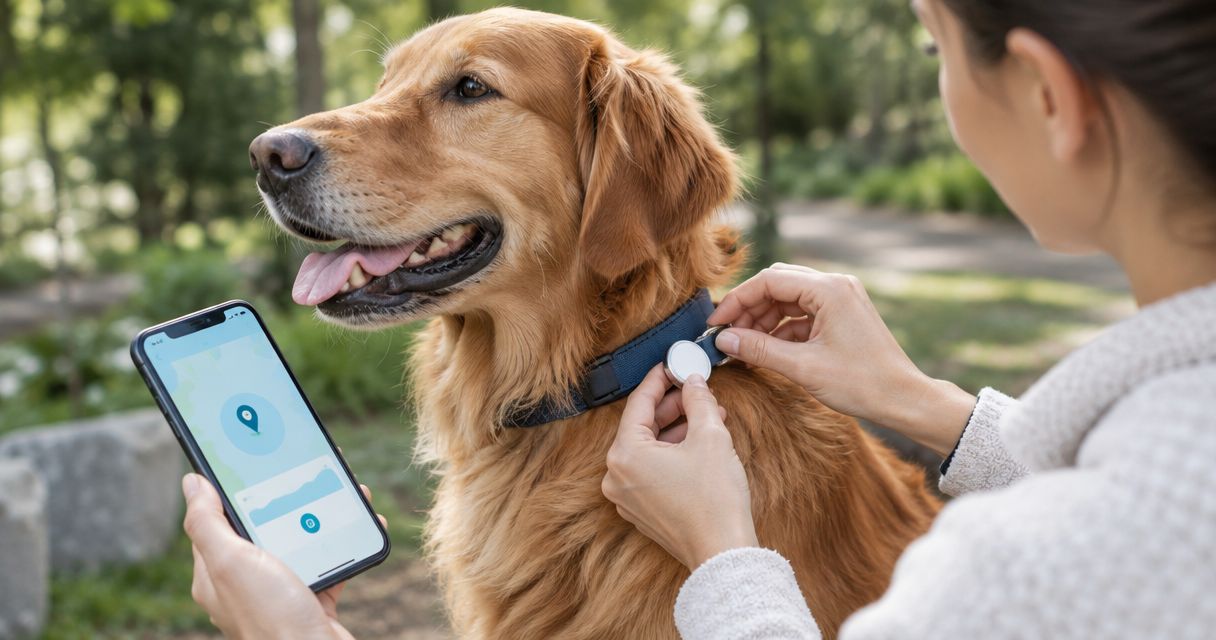
- Snap the AirTag into a hard-shell collar case built to thread onto a standard collar strap - Shop and Bark's AirTag collar case picks cover the sealed, no-rattle designs that hold up outdoors.
- Thread your dog's collar through the case's mounting loop and slide the case flush against the collar material.
- Position the case at the side of the neck, not directly under the throat, so it can't press into the trachea when your dog pulls or plays.
- Tug the case firmly to confirm it's seated and won't spin loose during a shake or a roll in the grass.
Expected result: the AirTag rides flat against the collar without swinging, and the case doesn't rotate when you rotate the collar by hand.
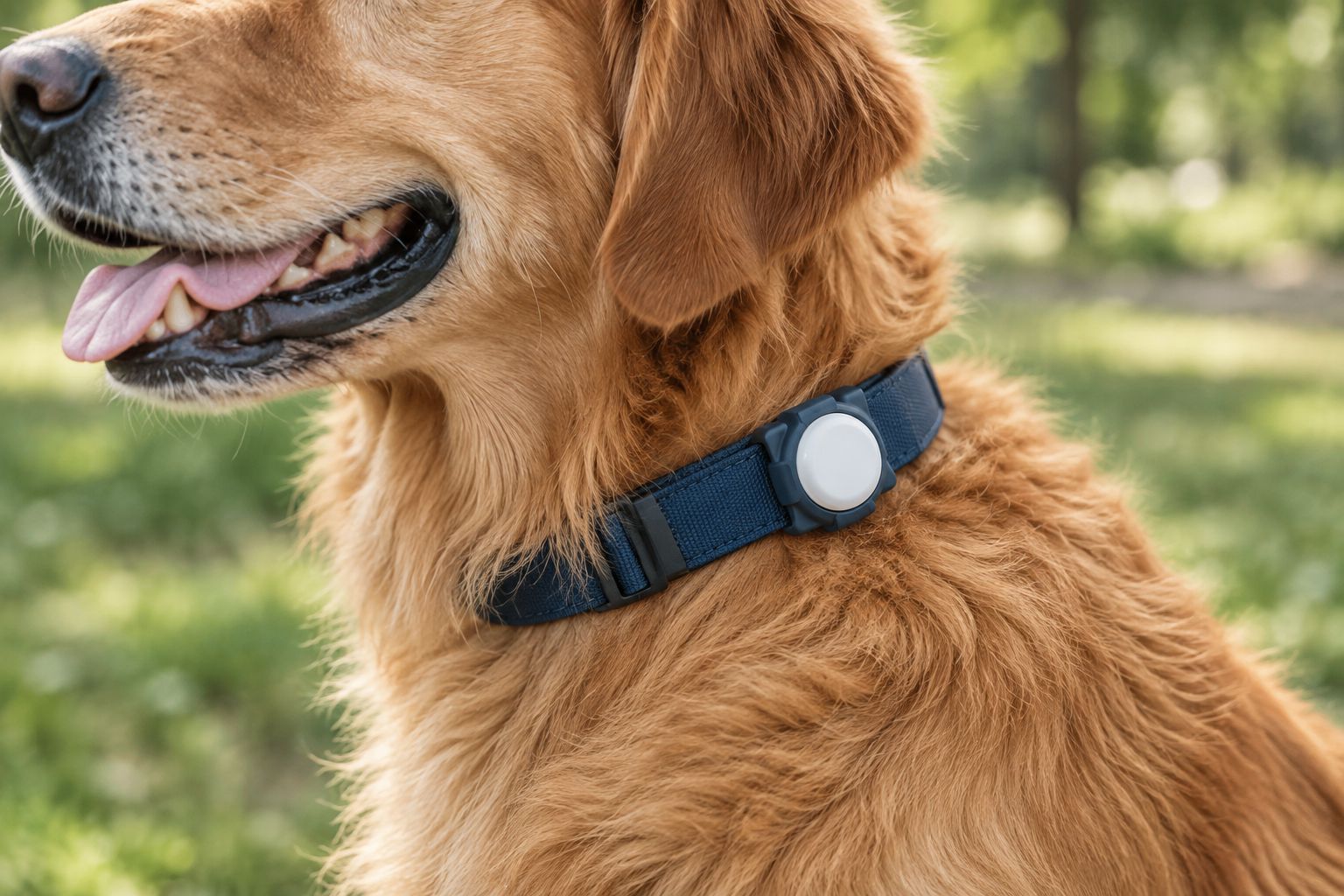
If your dog's current collar is thin, stretched, or already showing wear, a sturdier option makes the case mount more secure - check the collar options built for larger, more active dogs before you commit a case to a collar that's due for replacement anyway.
Turn on Notify When Left Behind
- Open Find My, tap Items, then tap your dog's AirTag.
- Scroll to Notify When Left Behind and toggle it on.
- Tap Add under locations and mark the spots where your dog is usually with you - home, a fenced yard, a regular dog park.
- Leave one of those locations without your dog and confirm your phone sends a notification within a minute or two.
Expected result: your phone alerts you the moment the AirTag separates from you at a marked location, which is the closest thing to real-time tracking this setup offers.
Use Precision Finding for the last 30 feet
- Tap your dog's AirTag inside Find My and select Find.
- Walk in the direction the on-screen arrow points; the distance counts down as you close in.
- Precision Finding needs an iPhone 11 or later with a U1 chip - older iPhones fall back to sound-based finding only.
Expected result: an arrow and a distance readout guide you to within a few feet of the AirTag, useful for the final search once you're already in the right yard or block.
Variant: mount on the harness instead of the collar
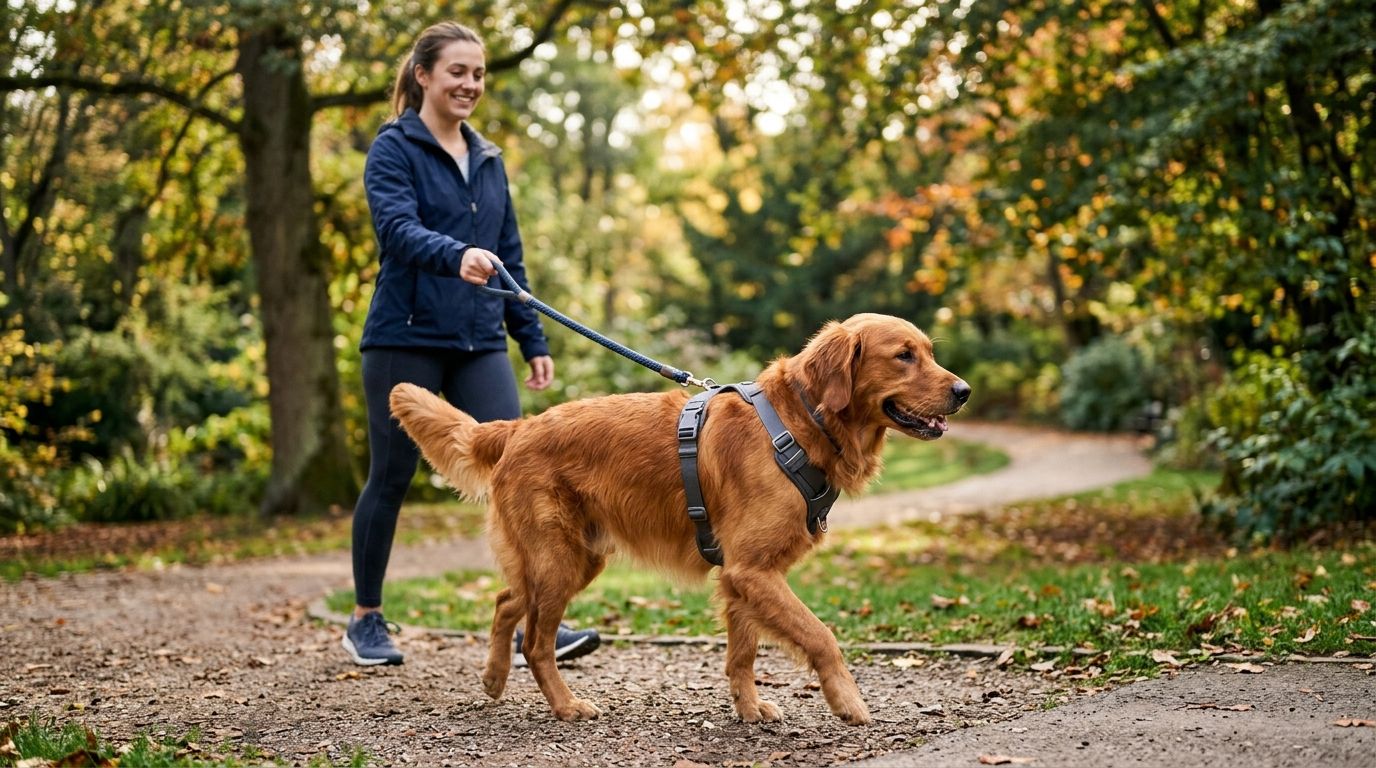
Some dogs wear a harness for walks and only a collar for tags and ID. If that's your setup, clip the AirTag case to the harness's back handle or a webbing loop instead of the collar - it rides more securely on a dog that pulls hard against a leash. Shop and Bark's no-pull harness lineup has models with a reinforced handle that doubles as a solid case-mount point, and moving the tag off the collar keeps it clear of any tags or bells already crowding the collar ring.
Get the collar case that fits your dog
Browse AirTag collar cases built to stay sealed and rattle-free outdoors.
Troubleshooting
- AirTag shows "No location found" for hours. Find My needs a nearby iPhone running Find My to relay the location. In rural areas with low iPhone density, gaps of several hours are normal, not a defect.
- Notify When Left Behind never fires. Check Settings > Privacy & Security > Location Services and confirm Precise Location is on for Find My - it's the single setting most people miss.
- Case rattles when the dog shakes. The collar loop on the case is loose. Re-thread the collar and pull it tighter through the mount before the first walk.
- Speaker sounds muffled during Play Sound. Mud or water has gotten into an exposed grille. A sealed, weatherproof case avoids this entirely - it's the main reason to skip the cheapest cases on the market.
- Battery drained faster than a year. Cold weather and frequent Precision Finding sessions both shorten the CR2032's life. Carry a spare battery if you're heading into winter with an active setup.
Customize your workflow
Once the base setup works, layer on more. Add a second AirTag to a backup collar so a lost or chewed-through collar doesn't leave your dog untracked - the same collar picks for large, active dogs work for a spare setup. If your dog is outdoors in wet weather often, check that the case you chose is rated for full submersion, not just splash resistance, since AirTags themselves are IP67 rated but a poorly sealed case defeats that.
If tracking is part of a bigger loose-leash or reactive-dog management plan, the harness handle mount pairs naturally with a structured walking routine rather than a standalone gadget fix.
FAQ
How do you connect an AirTag to a dog collar?
Pair the AirTag with your iPhone through the Find My app, snap it into a collar-mount case, thread the case onto the collar at the side of the neck, then turn on Notify When Left Behind in the app. The whole process takes under 10 minutes.
Does an AirTag work as a real-time GPS tracker for dogs?
No. An AirTag relies on Bluetooth and nearby iPhones through Apple's Find My network, so updates depend on iPhone density nearby. For live tracking on a running dog, use a cellular GPS collar instead.
Is it safe to put an AirTag on a dog's collar?
It's safe when mounted in a sealed case at the side of the neck rather than under the throat, and when the case is checked periodically for cracks or loose threading. Avoid loose zip-tie mounts, which can shift and press on the windpipe.
How long does an AirTag battery last on a dog collar?
Apple estimates about one year of typical use from the CR2032 battery. Cold weather and frequent active-finding sessions shorten that window, so check battery status in Find My every few months.
Can you track a dog with an AirTag when you're not near an iPhone?
Only if another iPhone running Find My passes near your dog, since the AirTag has no cellular or GPS chip of its own. In rural or low-traffic areas, location updates can lag by hours.
What's the best case for mounting an AirTag on a dog collar?
A sealed hard-shell case without an exposed speaker grille holds up best outdoors, since mud and water muffle open-grille designs. Shop and Bark's AirTag collar case guide ranks options built specifically for this mount.
Should the AirTag go on the collar or the harness?
The collar works for most dogs; the harness handle is a better mount for dogs that pull hard on leash, since it sits more securely than a case swinging on a collar ring.
Does Notify When Left Behind drain the iPhone battery?
It uses standard Bluetooth background monitoring, similar to any other Find My item, and has a negligible effect on iPhone battery life for most users.
One last thing
Apple's anti-stalking protections in Find My are built around AirTags traveling with a stranger's phone, not with your own - but if your dog spends the day with a dog walker or at daycare without your phone nearby, that walker's iPhone can trigger an "AirTag Found Moving With You" alert on their end. Give the walker a heads-up before the first drop-off in 2026 so a helpful safety feature doesn't turn into a confusing text message.